![Qwiek_white.png]](https://help.qwiek.eu/hs-fs/hubfs/Presskit/Presskit%20Qwiek%20logo/Qwiek_white.png?height=40&name=Qwiek_white.png)
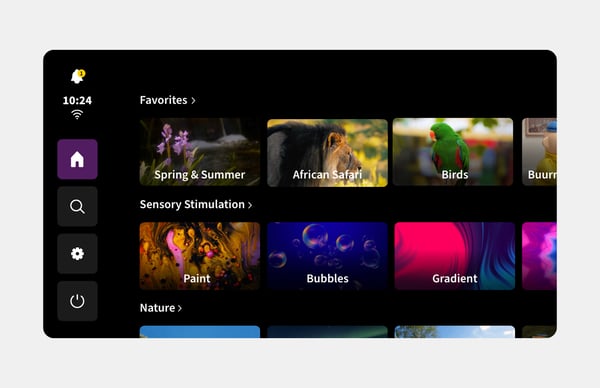
1. Go to the home screen
Make sure the Qwiek.up is turned on and tap the screen to navigate to the home screen.
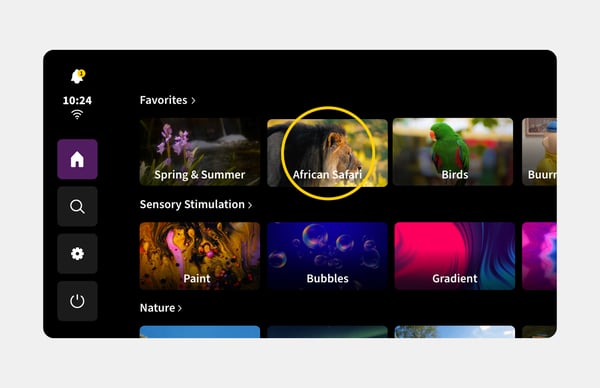
2. Choose a module
Browse through the selection and tap the module you want to play.
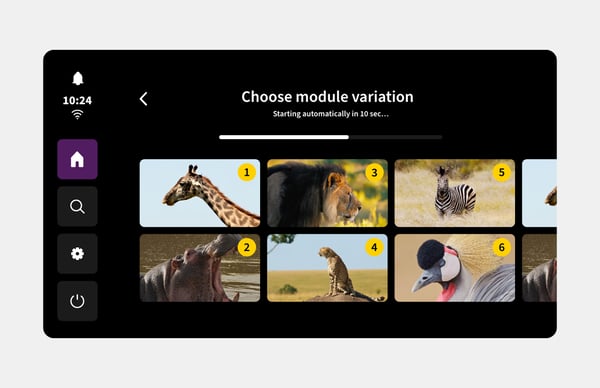
3. Select a specific variation (Optional)
Do you want to start with a specific section right away? Then tap the variation of your choice. If you don't select a variation, the module will automatically start the first variation by default after 10 seconds.