![Qwiek_white.png]](https://help.qwiek.eu/hs-fs/hubfs/Presskit/Presskit%20Qwiek%20logo/Qwiek_white.png?height=40&name=Qwiek_white.png)
Updating your Qwiek.embrace is very simple, as most of the work happens completely automatically. The only thing you need to do is ensure you have a working Wi-Fi connection. Below, we explain how it works.
1: Connect the Embrace to Wi-Fi
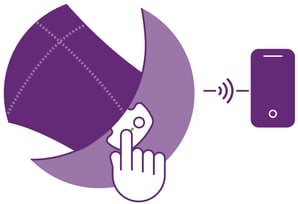
The first and only step you need to take yourself is to connect your Qwiek.embrace to a Wi-Fi network. You can easily do this via the Qwiek App on your phone or tablet.
Haven’t set up Wi-Fi yet? No problem! The article explains exactly how to do this.
2: The update happens in the background
As soon as your Embrace is connected to Wi-Fi, it will automatically search for new software. If an update is available, it will be downloaded and prepared in the background, completely automatically. You won’t notice anything, and you can continue to use the Embrace as normal.
The next time the Embrace is taken out of sleep mode (by picking it up), the update will be installed automatically. You’ll immediately have the latest software!
Checking which version you have
Curious about which software version is installed on your Qwiek.embrace? Open the Qwiek App and go to the settings of your connected Embrace. There you can find the current software version.
Overview of software updates
In the table below you can see exactly which software versions have been released for the Qwiek.embrace, when they were released and what has changed.
| Software Version | Release Date | Release Notes (What is new or improved?) |
|---|---|---|
| 2026.10.0 | 03/11/2026 |
New Features
Improvements
Bug Fixes
|