![Qwiek_white.png]](https://help.qwiek.eu/hs-fs/hubfs/Presskit/Presskit%20Qwiek%20logo/Qwiek_white.png?height=40&name=Qwiek_white.png)
Restarting the Qwiek.up
Is the screen responding slowly or has a module frozen? Then a simple restart is often enough.
1. Shut down the system
Swipe the power button on the touchscreen to the right (the same way you normally turn it off).
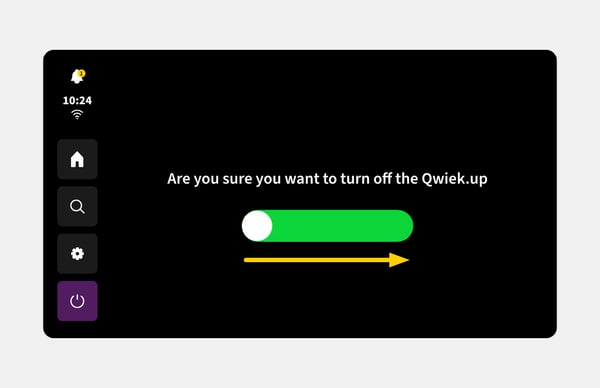
2. Wait for the notification
Wait until the screen indicates that the power cord can be unplugged and the fan has completely stopped blowing.
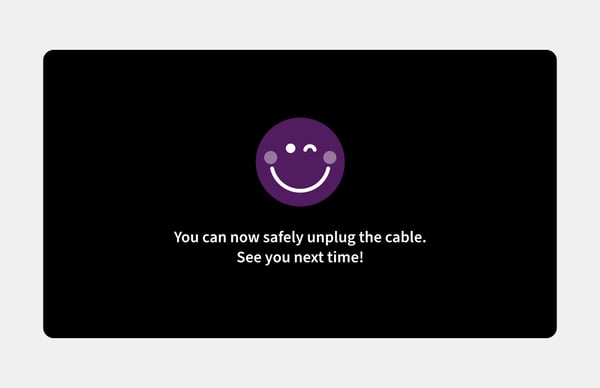
3. Disconnect from power
Pull the plug out of the wall outlet and wait about 10 to 15 seconds.
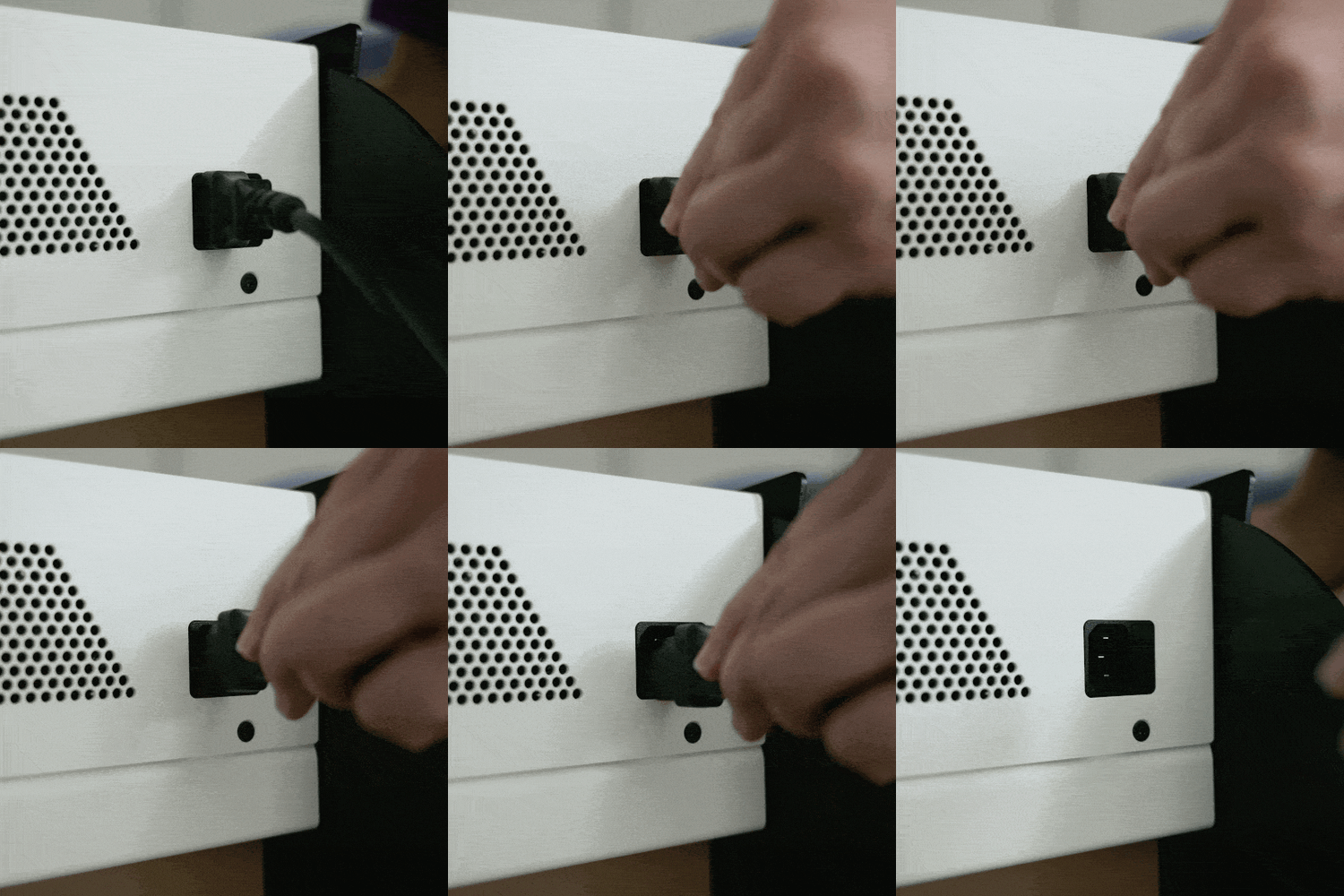
4. Restart
Plug the power cord back into the outlet. The system will now restart, which usually resolves the glitch.
Resetting the Qwiek.up to factory settings
If the Qwiek.up freezes completely and a normal restart (via the screen or the power cord) does not solve the problem, you will need to contact Qwiek Technical Support.
- Remote reset
Since the Qwiek.up is connected to the central Qwiek dashboard via Wi-Fi, the Qwiek helpdesk can completely reset and restore the software remotely. As a user, you cannot reset the device to factory settings yourself.